

Engineering · October 23, 2026
Why Electron-Based Mac Launchers Drain Battery and RAM (and the Swift Alternative)
An architectural analysis of background Node.js runtimes vs native Swift AppKit launchers on Apple Silicon battery longevity.

SearchOnMac Team
Architecture & Performance · 5 min read
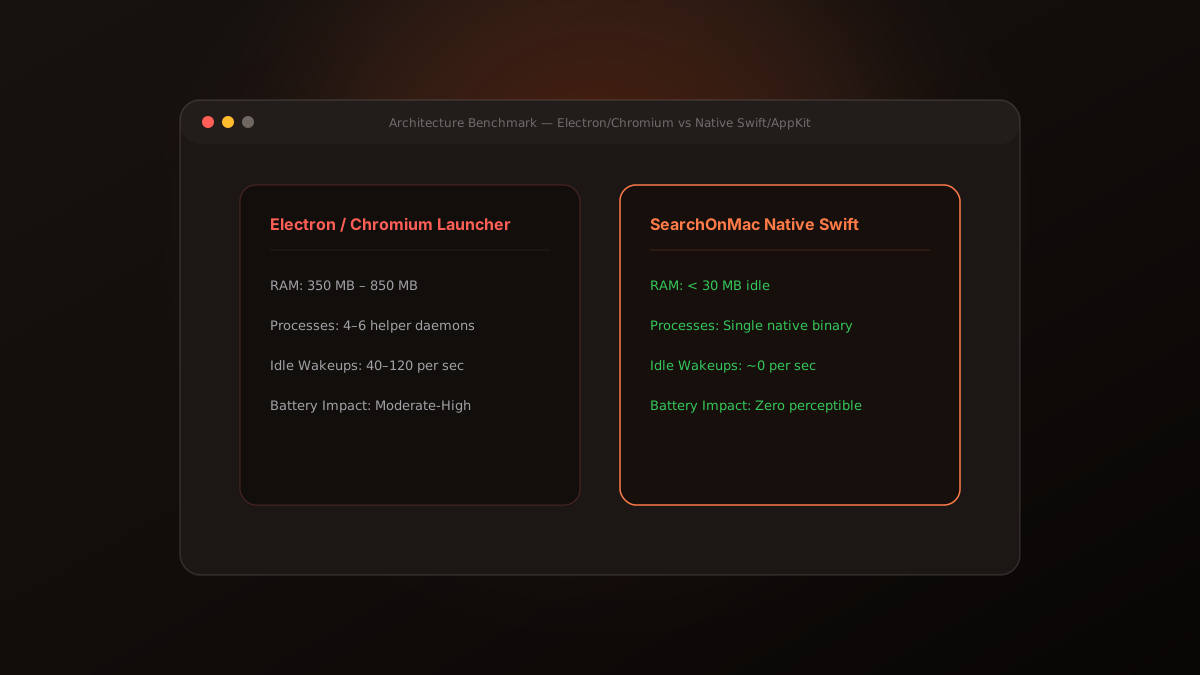
On modern Apple Silicon MacBooks, battery life can easily exceed 18 hours—until you install half a dozen background utilities running Chromium and Node.js. Here is why launcher architecture matters.
1. The True Cost of Background Web runtimes
Cross-platform frameworks like Electron package an entire Chromium browser engine and Node.js runtime inside each utility. Even when hidden, these processes maintain V8 garbage collection cycles and thread pools, causing 40 to 120 CPU wakeups per second.
Over a working day, these background wakeups prevent the CPU from entering low-power sleep states, draining battery life prematurely.
2. The Native Swift & AppKit Approach
SearchOnMac is written 100% in native Swift and AppKit. When idle in the menubar, its memory footprint remains under 30MB, and its CPU usage drops to 0.0%. When summoned with Option + Space, it executes immediately using pre-warmed native window buffers.
Your launcher runs all day, every day. Choosing native Swift software preserves your Mac's battery and leaves memory free for your actual work.